On cue
The right note, right on cue
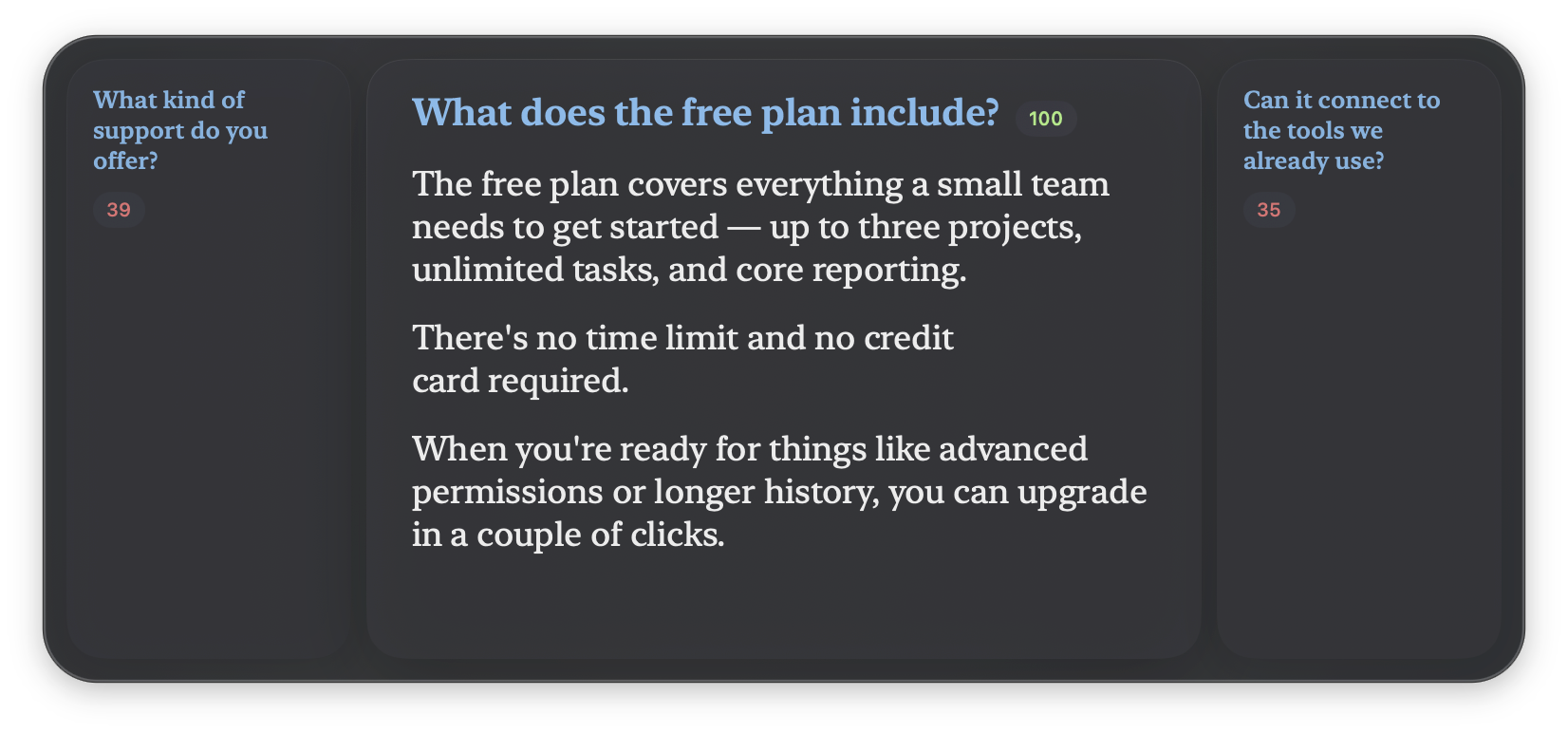
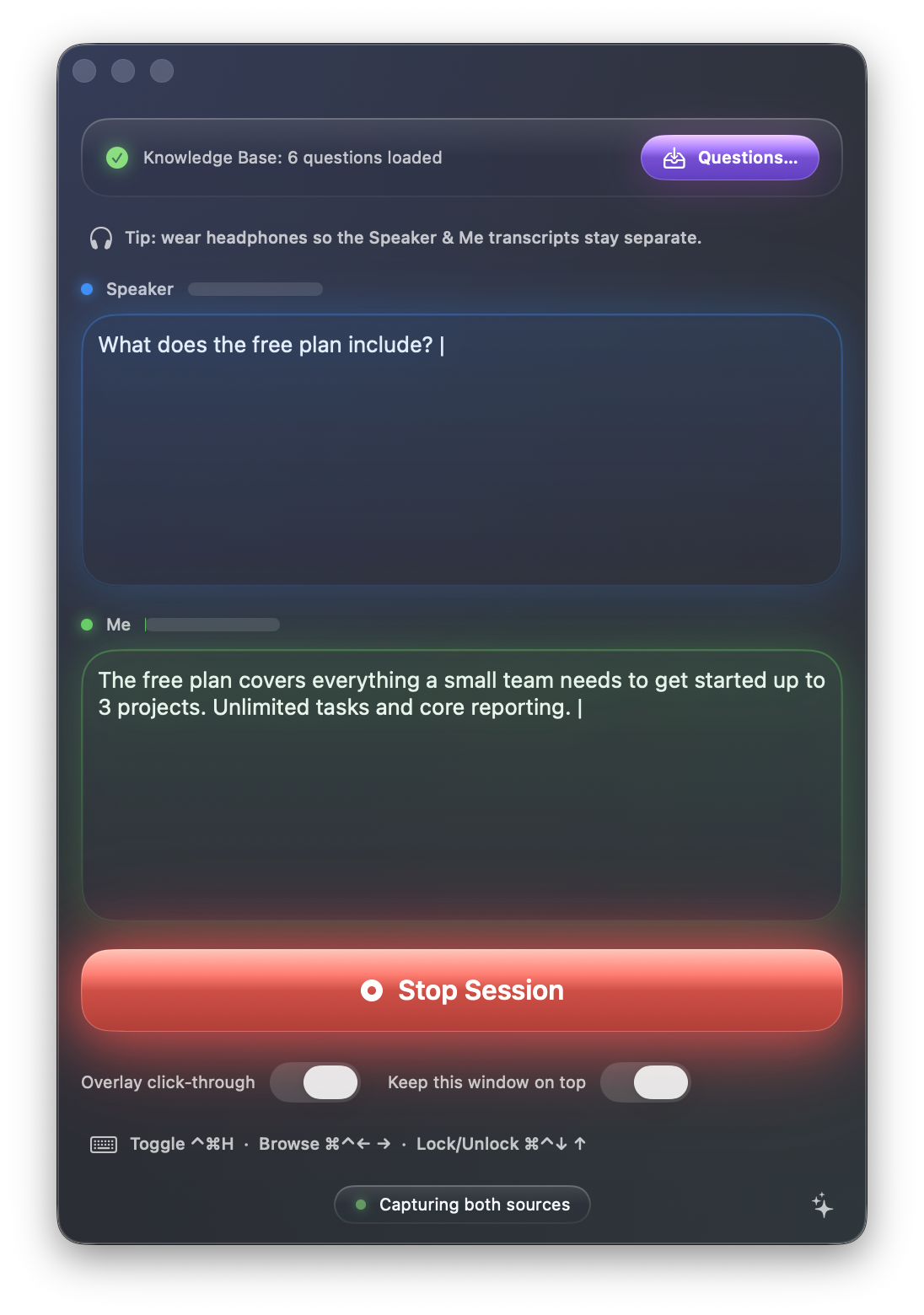
As the conversation moves, GhostCue surfaces the prepared note that fits the moment — a ranked shortlist with the best match highlighted. Glance down and you're already on the right card.
Live notes for real conversations
Your live presentation companion for macOS.
Speak naturally while your prepared notes appear on screen and follow along as you talk — a hands-free teleprompter for demos, talks, panels, and calls.
GhostCue never writes anything for you. Every line it shows is one you wrote ahead of time — it simply listens for the right moment and surfaces your own note. No chatbot, no generated answers. Just a fast, private way to find your prepared words.
On cue
As the conversation moves, GhostCue surfaces the prepared note that fits the moment — a ranked shortlist with the best match highlighted. Glance down and you're already on the right card.
Teleprompter mode
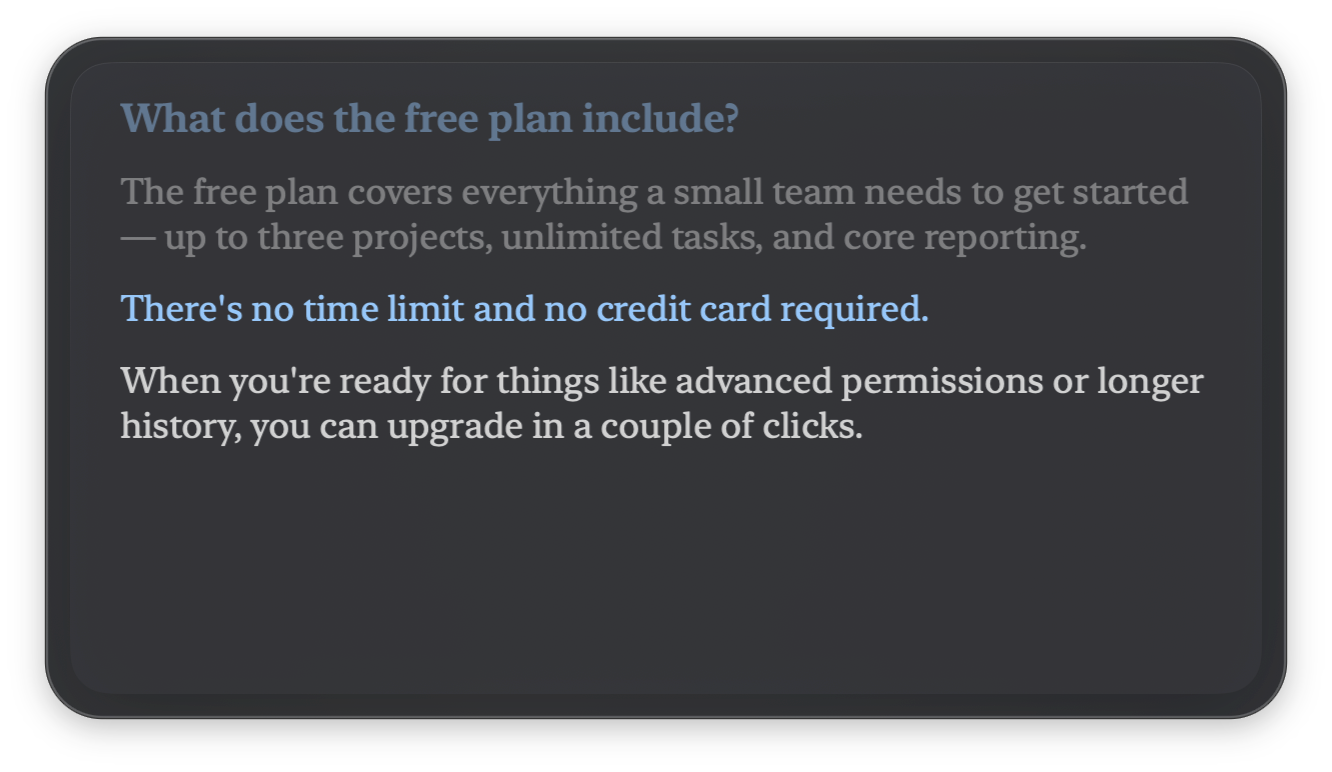
Start answering and the overlay locks on, scrolling your note at your pace — the line you're speaking stays lit while the ones you've covered fade away. Like a teleprompter that turns its own pages.
On device
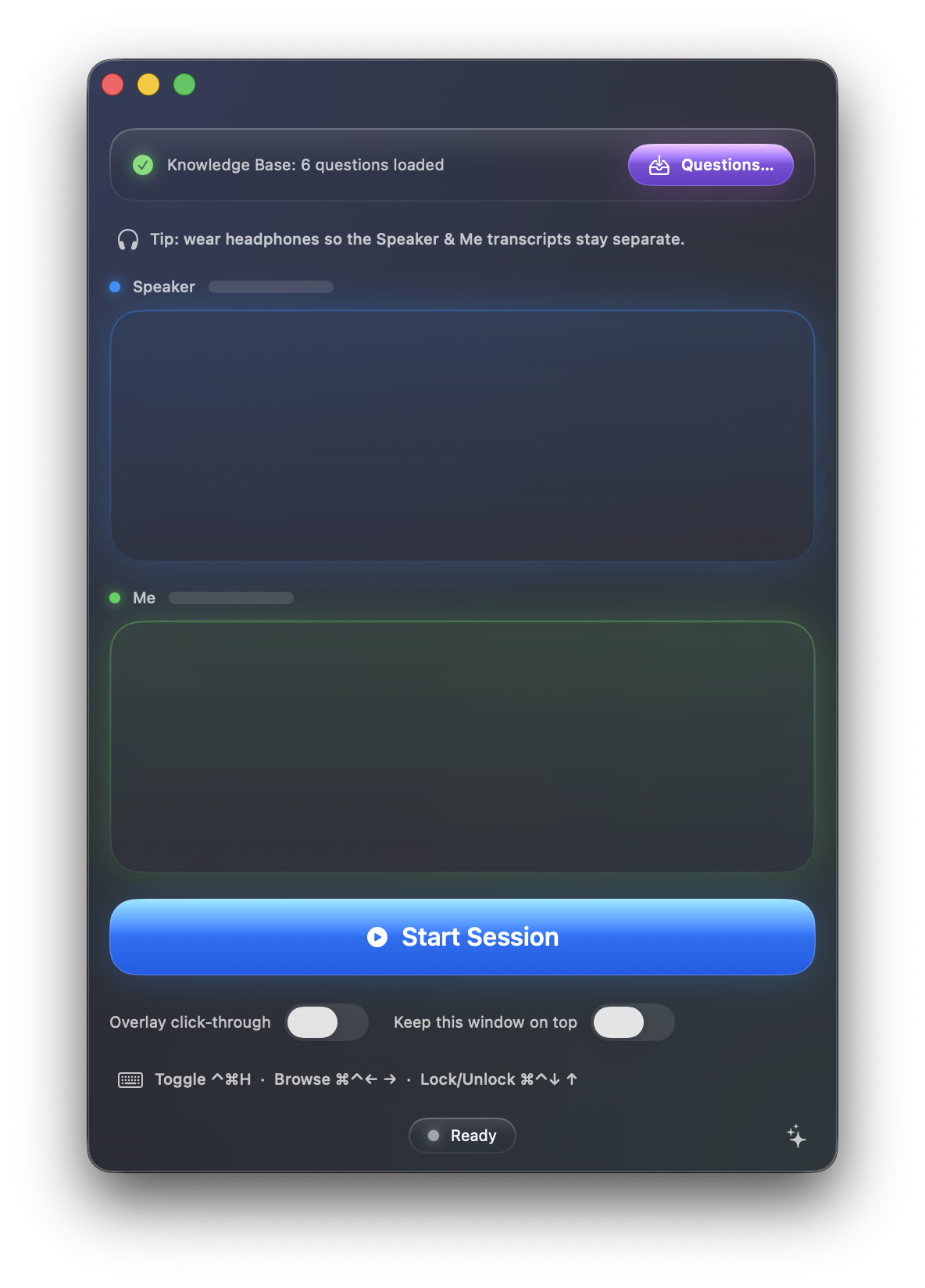
GhostCue captures your microphone and your computer's audio and transcribes both speakers live, using macOS's on-device speech engine. Nothing is recorded until you press Start, and nothing ever leaves your Mac.
Your notes
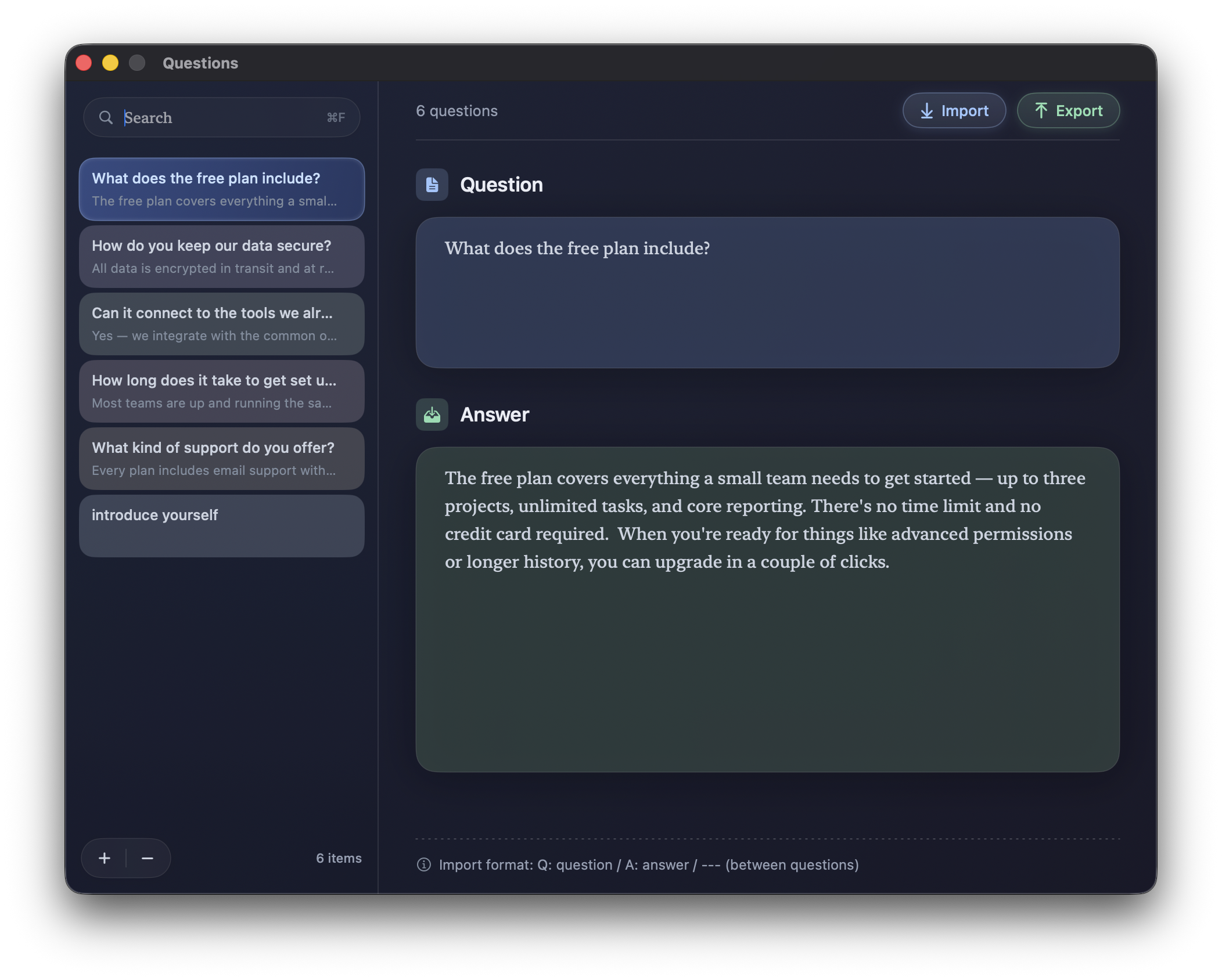
Write or paste your notes as simple question-and-answer cards. The format is plain text you control — import a whole batch at once, and export any time to keep a copy in the notes app of your choice.
Make it yours
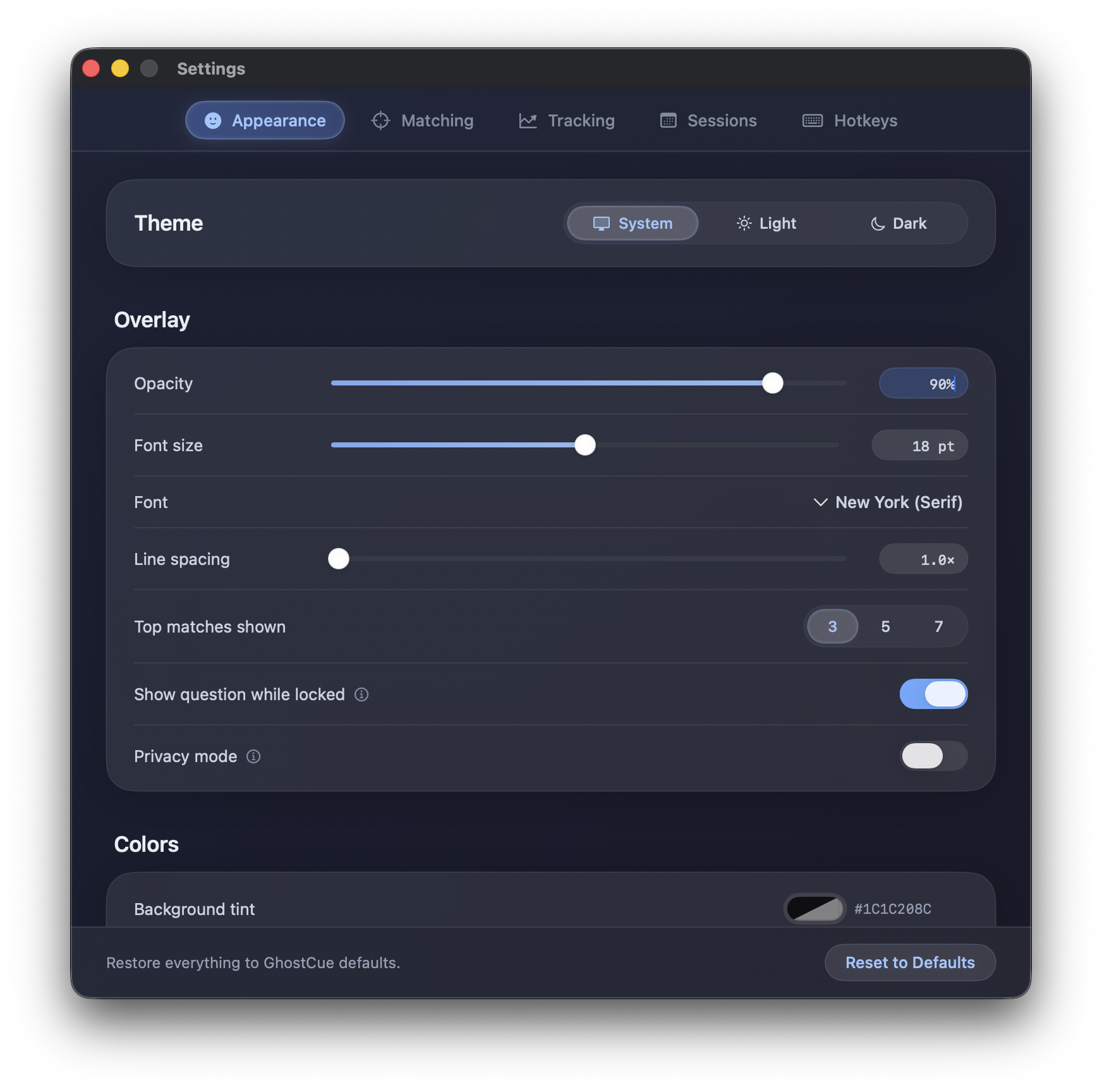
Light or dark theme, opacity, font, size, and your own background, text, and highlight colors. Show 3, 5, or 7 matches at a time, then tuck the panel into a corner so your eyeline stays natural.
GhostCue does its listening, transcribing, and matching entirely on your Mac. There's no account, no cloud, and nothing to sign in to.
Audio is captured, transcribed, and matched locally. None of it is sent to a server.
GhostCue never listens while idle. Capture is explicit and shown by live level meters.
No analytics, no ads, no third-party SDKs. Your notes and transcripts stay yours.
Requires macOS 26 or later on Apple Silicon (M1 or later).